TUTS Vancouver Performers and Friends
Fall ‘24 Promo
Welcome TUTS performers and friends!
You found the secret page!
Before booking, please note the online lesson tech requirements carefully to ensure you get maximum value from your 2-Lesson Pass.
IMPORTANT: Online Lesson Tech Requirements:
You’ll need the following for a successful online lesson, here:
Laptop or Desktop (not phone or tablet) with webcam
Chrome browser (up to date)
Wired headphones or earbuds so NOT Bluetooth, also NO built-in mic*
*See below FAQ for more about headphone and NO mic and ways to cheaply and easily solve.
Ready to book?
Click the “book now” button to be taken to the booking page. You’ll need the short link name you used to get to this page to receive the deal (see just below)
Coupon Code Info:
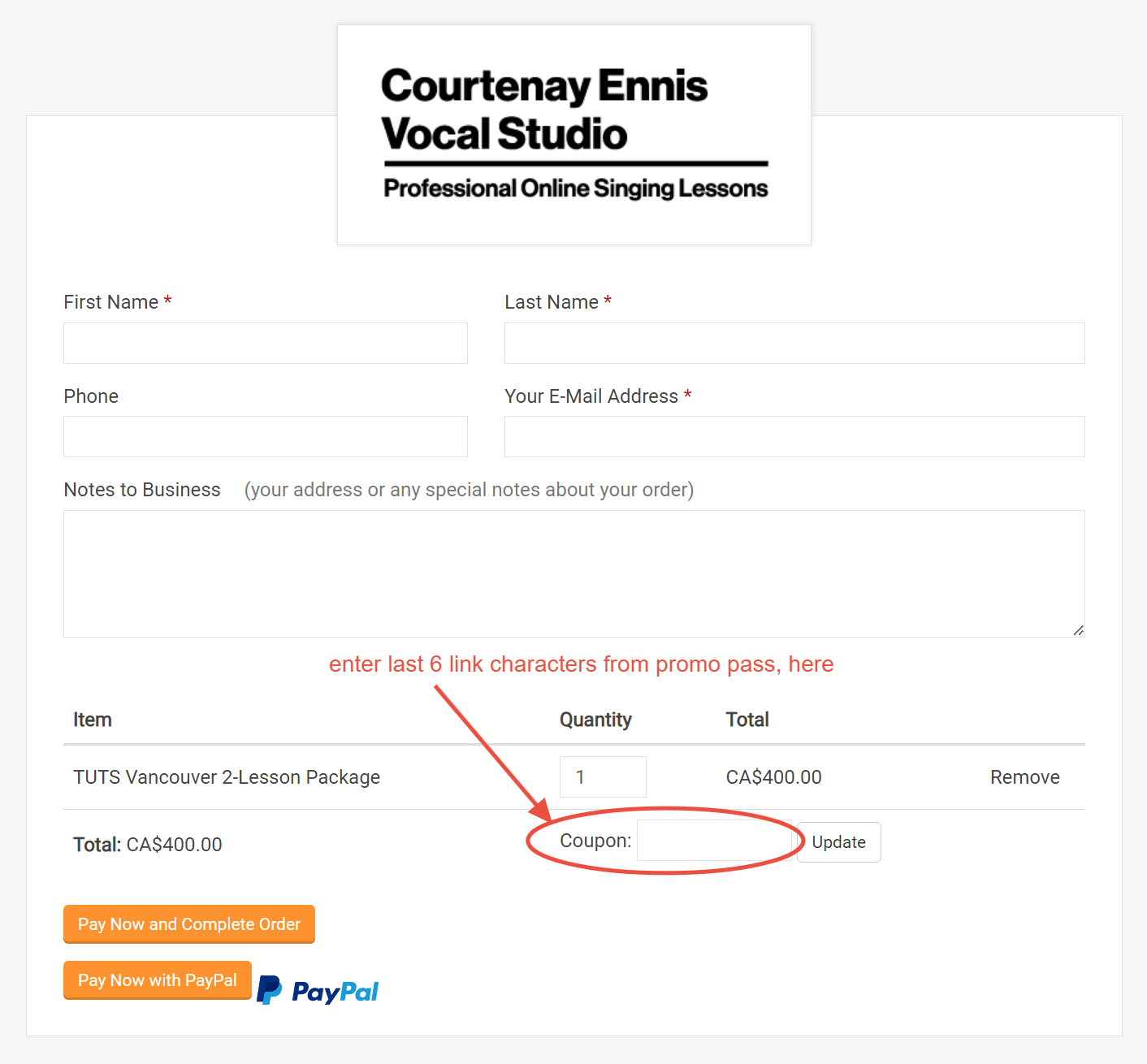
To receive the discount, type the last six characters from the link on your pass. i.e. the link you used to find this page.
You’re welcome to share this code with more performer friends who on a one-to-one basis, but please do not broadcast on a larger scale, online.
FAQ / Additional Info
-
The “No Bluetooth, no mic” requirement for headphones / earbuds is the trickiest requirement, but it’s important.
Headphones / earbuds solution: Earbuds with no mic can be found for ~$10-20 at drugstores or on Amazon. They will be also useful for any online lessons you take in the future. I promise it will be worth the effort.
If there are significant audio issues due to tech requirement issues, or any reason, the lesson may need to be cut short.
-
-
Lessons can be canceled or rescheduled up to 48 hours before lesson time. All promo lessons must take place before Sept. 27th, 2024.
Within 48 hours of lesson time, lessons may only be canceled. Please respect studio time by rescheduling or canceling as soon as possible
No shows and very late cancelations (anything later than ‘night before’ at minimum) may result in any remaining lessons being forfeitedn text goes here
Where does the code go?
See below image for where to add the code.
Again, code is the last 6 characters from the link on your promo pass.
Contact the studio if you encounter any issues.